One link. The whole day.
You send your couple one link for the film and every photo. Your couple leaves notes, approves and downloads the finals from it.
Free up to 5 GB. No card. See plans

What you cancel
Stop paying for four tools to finish one wedding.
Instead of
PixiesetPic-TimeShootProofYour couple hearts and pins photos on the same page as the film.
There are no print sales here, so keep yours if you sell prints.
Instead of
Vimeo review linksYour couple’s notes land on the exact second of the film.
You take them into Final Cut as markers. Premiere and Resolve are not here yet.
Instead of
Dropbox linksGoogle Drive linksYour couple opens the whole wedding on its own link, at full size.
It stays there for as long as you keep it.
Instead of
WeTransferYour couple downloads every photo and the film, full size, from the same link.
Your link doesn’t expire unless you set it to.
Instead of
“Here’s your gallery link” emailsYour couple approves, the watermark comes off and the finals unlock.
Same link. You never send a second one.
Instead of
Paying to remove a logo from your couple’s pageYour name and color sit at the top of your couple’s page, on every plan.
The Free plan included.
One link.
This is for sending your couples’ work, not a backup. Keep a copy of your masters somewhere else too.
Step 1 of 6
Upload your files
You upload your files, bring them over, or ask your couple for theirs.
Step 2 of 6
Design the landing page
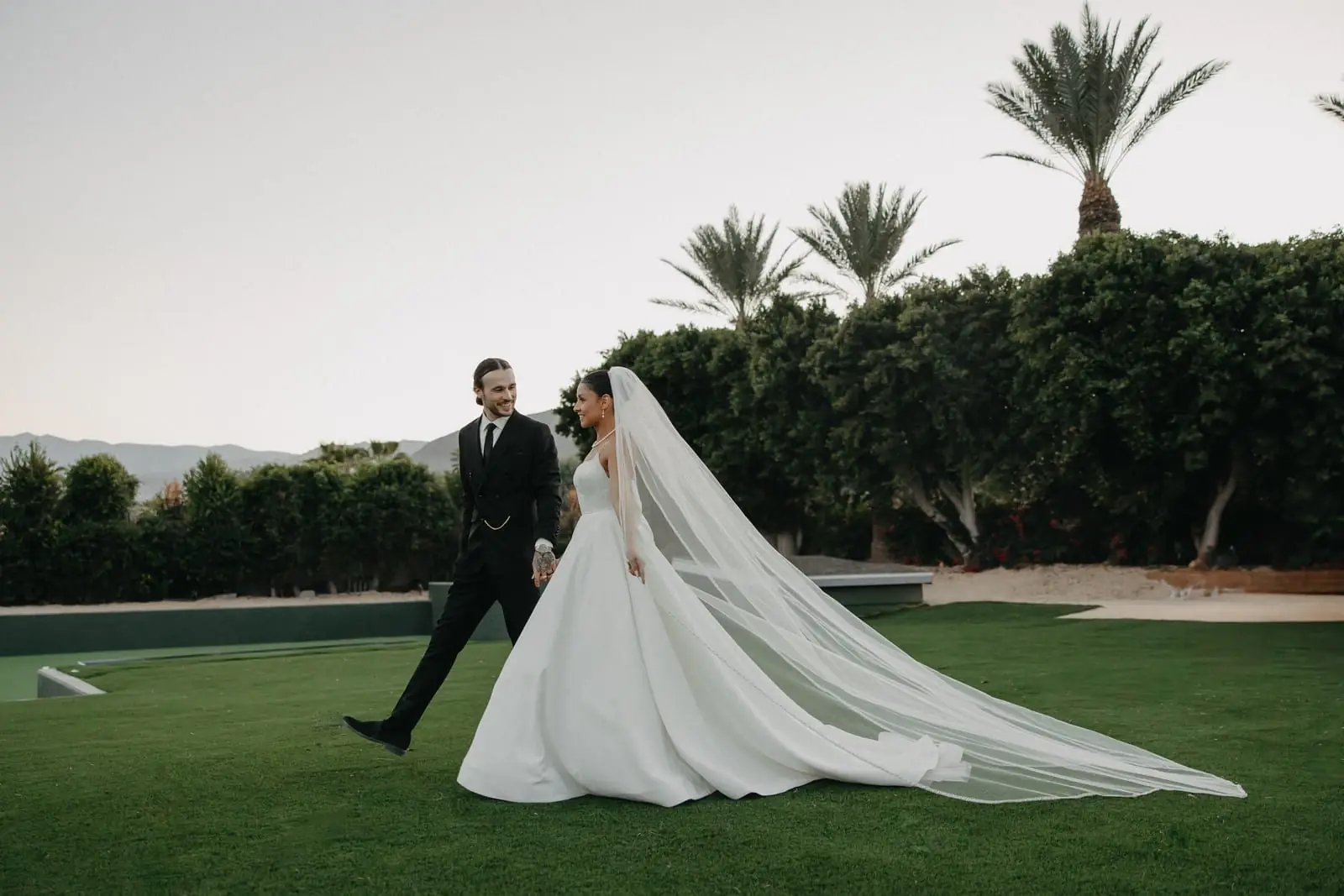
You design the landing page your couple opens.
Step 3 of 6
Send one link
You send your couple one link. Your couple taps it and is in.
Step 4 of 6
Your couple leaves notes
Your couple leaves notes right on the film and the photos.

Step 5 of 6
Upload v2, v3 and on. Same link.
You upload v2, v3 and on. Your couple’s link stays the same.
Step 6 of 6
Approved, downloaded, delivered.
Your couple approves and downloads the finals. Delivered, on the same link.
Your couple’s wedding stays on its link at full size for as long as you keep it. Nothing gets archived away.
Pricing.
You pay for room and logins. Never for review or delivery features.
Free
Try it on a wedding’s feature film and its highlight.
$0
Free for good
Room for photos and film5 GB
Video1 h
LoginsJust you
About 20 highlight films of 3 minutes
Start freeStart freeEvery review and delivery feature
- Nothing held back from your couple’s page
- No card to start
Films you put on your website carry a small DropYourFiles mark.
Solo
For one photographer or filmmaker running every job.
$20
a month, or $220 a year
Room for photos and film1 TB
Video15 h
LoginsJust you
About 10 weddings or about 300 highlight films of 3 minutes
Choose SoloChoose SoloEverything in Free, plus
- 200 times the room of Free
- Add 100 GB any time for $5 a month
- Remove the small DropYourFiles mark from films you embed on your own website
- Pay yearly and save $20, a month free
- Best for most studios
Studio
Room for a full year of jobs, and your team on the same couples.
$59
a month, or $590 a year
Room for photos and film2 TB
Video50 h
Logins3 team logins
About 33 weddings or about 1,000 highlight films of 3 minutes
Choose StudioChoose StudioEverything in Solo, plus
- 3 team logins, each with a role: Can view, Can edit or Full access
- Give a login one couple, one project or one folder, or all of them
- Your team shares one list of couples and one notes inbox
- Twice Solo’s room and over 3 times the video
- Pay yearly and save $118, two months free
Enterprise
For a studio with a crew.
From$149
a month, or from $1,490 a year
Room for photos and film6 TB
Video150 h
Logins10 team logins
About 100 weddings or about 3,000 highlight films of 3 minutes
Choose EnterpriseEnterpriseEverything in Studio, plus
- 10 team logins, and more on a call
- 3 times Studio’s room and video
- Talk to us about a larger setup
- Pay yearly and get two months free
A wedding here is about 90 minutes of film, a feature and a highlight, and its photos, about 40 GB in all. Film counts by running time, and photos and other files by size against the room. ProRes and other large masters fill the room much faster. Earlier rounds of a film count too, until they are deleted seven days after your couple approves, or for as long as you keep them. Bars use a square-root scale, so Free’s stays visible.
Go past your video hours or your room on a paid plan and nothing stops: your next invoice adds $1 for each hour of video and $0.03 for each GB over. On Free, uploads stop at 5 GB, and new films at 1 hour of video. Nothing is deleted. You make room or choose a plan. What happens past your plan
| What you get | Free | Solo | Studio | Enterprise |
|---|---|---|---|---|
| Price a month | $0 | $20 | $59 | From $149 |
| Paid yearly | Not on this plan | $220, a month free | $590, two months free | From $1,490, two months free |
| Room for photos and film | 5 GB | 1 TB | 2 TB | 6 TB |
| Video | 1 h | 15 h | 50 h | 150 h |
| Weddings | Not on this plan | About 10 | About 33 | About 100 |
| Highlight films of 3 minutes | About 20 | About 300 | About 1,000 | About 3,000 |
| Photos, after the full video hours | Nearly 100 | Over 100,000 | Nearly 200,000 | Nearly 600,000 |
| Team logins | Just you | Just you | 3 | 10, more on a call |
| A role for each login | Not on this plan | Not on this plan | Included | Included |
| Give a login one couple, one project or one folder, or all of them | Not on this plan | Not on this plan | Included | Included |
| Require two-step sign-in for your team | Not on this plan | Not on this plan | Included | Included |
| Add 100 GB for $5 a month | Not on this plan | Included | Included | Included |
| DropYourFiles mark on films you embed on your website | Always | Your choice | Your choice | Your choice |
| Unlimited couples and projects | Included | Included | Included | Included |
| Every review and delivery feature, from notes and transcripts to signatures and downloads | Included | Included | Included | Included |
Every plan includes
Every review and delivery feature, on every plan.
Free included. Unlimited couples and projects, and links that don’t expire unless you set them to.
- One link, start to finishYour couple reviews, approves and downloads on the same link.
- Photos and film on one pageYour couple switches between the photos, the videos or both.
- Notes on photos and filmYour couple pins a spot on a photo or a second of a film. Both land in one list.
- Notes on audioYour couple leaves a note at the exact second of a song, a voiceover or a mix.
- Drawing on the pictureYour couple draws a box, an arrow or a line on a photo or a frame of the film.
- FavoritesYour couple hearts the photos worth keeping and can download only those.
- v2, v3, same linkYou upload a new version over the last. Your couple keeps the link and the earlier rounds.
- RAW and HEIC, viewableRAW, HEIC, PSD and TIFF files show as pictures your couple can open on a phone.
- Full size, or smallerYour couple downloads everything at full size, or a film at 1080p or 720p, a section of a film, or the photos at web size.
- Notes to Final CutYou take your couple’s notes into Final Cut as markers, the transcript’s too.
- A transcript of every filmSwitch it on and your couple reads along, plays from any word, and marks lines to cut or keep.
- Captions from the transcriptYour couple turns captions on with CC. You download them as SRT or VTT, or the words as text.
- Your name at the topYour logo, name and color sit at the top of your couple’s page.
- No account for your coupleYour couple opens the link in any browser. No sign-up, no app.
- Embed it anywhereYou copy a film’s embed code into your website or portfolio. It plays there in your color.
- Bring your work overYou bring films from Vimeo, projects from Frame.io with their comments, and files from Dropbox and Google Drive.
- Ask for filesYou send your couple a link to drop files straight into the project.
- Documents to signYou send a PDF or Word file, or start from a template. Each signer gets their own link and needs no account.
Add up what you pay now.
Vimeo, Dropbox, WeTransfer and Pixieset, at list price, billed monthly.
A year of weddings stays on the plan, about 40 GB and 90 minutes of film each. 800 GB and 30 h of film in all.
- You pay now
- $61.99 a month
- With one link, on Studio
- $59 a month
- You keep
- $35.88 a year
List prices for one person, on October 29, 2026. Sources
- Vimeo: Starter $20 a month billed monthly ($12 billed yearly), 2 TB, one user. Review and collaboration tools are listed on Starter and up.
- Frame.io: Pro $15 per member a month billed monthly (13% less billed yearly), 2 TB. Frame.io also has a free plan with 2 GB.
- Dropbox: Plus $11.99 a month billed monthly ($9.99 billed yearly), 2 TB, transfers up to 50 GB.
- Google One: Google AI Plus (2 TB) $9.99 a month billed monthly ($99.99 a year), the cheapest plan with room for client work. Basic is $1.99 for 100 GB.
- WeTransfer: Starter $10 a month billed monthly ($7 billed yearly), 300 GB a month, transfers expire in up to 3 days. The free plan is for non-commercial use only.
- Pixieset: Client Gallery Plus $20 a month billed monthly ($16 billed yearly), 100 GB. Basic is $10 for 10 GB.
One link. Every step.
Questions
What you’ll want to know before your first link.
Does your couple need an account?
No. Your couple opens the link in any browser, on a phone or a computer. The first time your couple leaves a note, they type their name. There is nothing to sign up for and no app to install.
What does your couple see?
One page with your logo or name at the top, and the photos and films on it together. Your couple plays the films, leaves notes on a second of a film or a spot on a photo, hearts favorites, approves, and downloads the finals at full size or smaller, all from the same link. Where you switch it on, your couple also reads a film’s transcript under it and plays from any word. Your couple never sees your studio screens. See an example
Can I use my own branding?
Yes, on every plan, Free included. Your logo or name, your colors and your cover sit at the top of your couple’s page, you choose how the work is laid out, and the emails your couple gets carry your studio’s name. The link itself is on dropyourfiles.com. There are no custom domains.
What happens to my files if I cancel?
Canceling takes effect at the end of the period you paid for, and there are no refunds for time already paid. Then your studio moves to the Free plan, your projects stay, and the links you sent keep working. Canceling never deletes a project you have delivered. If your work is bigger than Free’s 5 GB, nothing is deleted either: new uploads, projects and links wait until you make room or choose a plan, and your couple can still open and download everything. Terms
How much film fits, and what about long films?
Film counts by running time: Free holds 1 hour, Solo holds 15 hours, Studio holds 50 hours and Enterprise holds 150 hours. On Solo that is about 10 weddings, or about 300 highlight films of 3 minutes. Photos and other files count by size against your room: 5 GB on Free, 1 TB on Solo, 2 TB on Studio and 6 TB on Enterprise. ProRes and other large masters fill the room much faster. Earlier rounds of a film count too, until they are deleted seven days after your couple approves (or for as long as you keep them). On any paid plan you can add 100 GB for $5 a month. Compare every plan
What happens when I reach my video hours or my storage?
On a paid plan, nothing stops. You keep uploading, and your next invoice adds $1 for each hour of video and $0.03 for each GB of storage over your plan, measured when that invoice is made. Past your storage, a project you have not sent yet waits to go out until you are back under, add 100 GB for $5 a month, or move up a plan. On Free, an upload that would take you past 5 GB, or a film that would take you past 1 hour of video, does not start until you make room or choose a plan. Nothing is ever deleted for being over. For more video hours you can add 10 hours for $5 a month on any paid plan, and on Studio and Enterprise you can add a team login for $15 a month. The links your couple already has keep working either way. Past your plan
I use Vimeo, Frame.io or Pixieset. How do I switch?
From Vimeo, you connect your account in Bring work in and bring your films over, folder by folder. From Frame.io, you connect your account in Bring work in and pick projects or folders: versions come over as versions, and comments arrive as notes on the files they belong to. A Frame.io download with its comments export works too. From Pixieset, you download a collection there and add the photos to a project. From Dropbox or Google Drive, you pick files straight into a project. SmugMug and ShootProof are not connected yet, so from those you download your files and upload them here. Compared with Vimeo
How is this different from Dropbox, WeTransfer or Pixieset?
Each one does part of a client job: Dropbox, Google Drive and WeTransfer hold and send files, Pixieset and SmugMug show photos, and Vimeo and Frame.io review film. Here your couple watches the film, leaves notes on it and on the photos, approves, and downloads the full-size files, all on the same link. We put each of them side by side with this, with their prices read on their own pages. See them compared
Which editing apps do the notes go into?
Final Cut Pro. You download your couple’s notes as markers and they open in Final Cut as to-do markers you tick off as you cut. A line your couple strikes out on the transcript arrives as a CUT marker over that stretch, and a highlight as a HIGHLIGHT marker. Premiere Pro and DaVinci Resolve are not supported yet. You can also download the notes as a spreadsheet or a plain list.
Are my films transcribed?
Yes. Every film you upload is transcribed by our own encoder, so the audio is not sent to a transcription service, and you can transcribe older films with one click. You can edit a line, find a word, and download the transcript as text or as captions (SRT or VTT). Captions come from the transcript, and your couple turns them on with CC. The transcript shows on your couple’s page only where you switch it on.
Can your couple sign documents here?
Yes, in Signatures. You upload a PDF or a Word document, or start from a template, and place the fields each signer fills in: a signature, initials, the date, text or a checkbox. Each signer, your couple or anyone else you send it to, signs on their own link with no account. You can countersign in the studio, and once everyone has signed you get the signed copy with its signing record: who signed, and when.
Is my work secure?
Your files are stored in Cloudflare R2 and are never publicly listed. Each download link is signed when your couple clicks it and stops working after 12 hours, and you can lock any link with a password or an expiry date. We do not sell anything about you or your couple, and we do not use your files to train anything. This is for delivering work, not a backup, so keep a copy of your masters somewhere else too. Privacy
Who makes this
Built by a filmmaker, for his own client jobs.
I’m Vitaly. I run OwnTheLight, a photo and film studio in California, and for years every job ended the same way: one link for my client to review, another for the finals, and a trail of emails asking which link was which. Notes got lost in texts. Finals sat in a folder nobody could find.
So I built the one link I wanted to send. Your client watches the film, leaves a note on the exact frame, approves, and downloads the finals, all from the same place. I run my own client work through it every week, so anything that slows you down slows me down too. Write to me at support@dropyourfiles.com.

DropYourFiles for Mac
 Download for MacFree with every plan · macOS 14 or later
Big uploads belong on your Mac.
Drop in a whole shoot, close the lid, and the upload keeps going.
- Whole folders at onceDrop a shoot in and its folders come with it.
- Runs in the backgroundProgress stays in your menu bar and Dock.
- Picks up where it left offAfter sleep, a quit or a dropped connection.
Prefer the browser? Everything works there too.
Try it on a real job with your client.
Start freeFree up to 5 GB. No card. Your client never makes an account.
Uploading a whole shoot? There is a Mac app for that. Download for Mac